

Managed service providers have built their businesses around customers paying an ongoing fee to have someone else manage technology they depend on. Networks, endpoints, cloud services, cybersecurity, backups, communications and user support all fit that model. Digital signage can fit it too.
Businesses use screens for customer messaging, employee communications, promotions, menus, dashboards, directories and operational information. Those screens require software, connectivity, user access, content management and technical support. Those are familiar responsibilities for an MSP.
Rather than treating digital signage as an unrelated AV product, MSPs can package it as another managed technology service and sell it to customers they already support.
Why Digital Signage Fits the MSP Business Model
MSPs already manage computers, networks, Wi-Fi, cloud applications, user accounts, security systems, VoIP, printers, mobile devices, backup systems and connected devices. A digital signage network adds another category of managed endpoints.
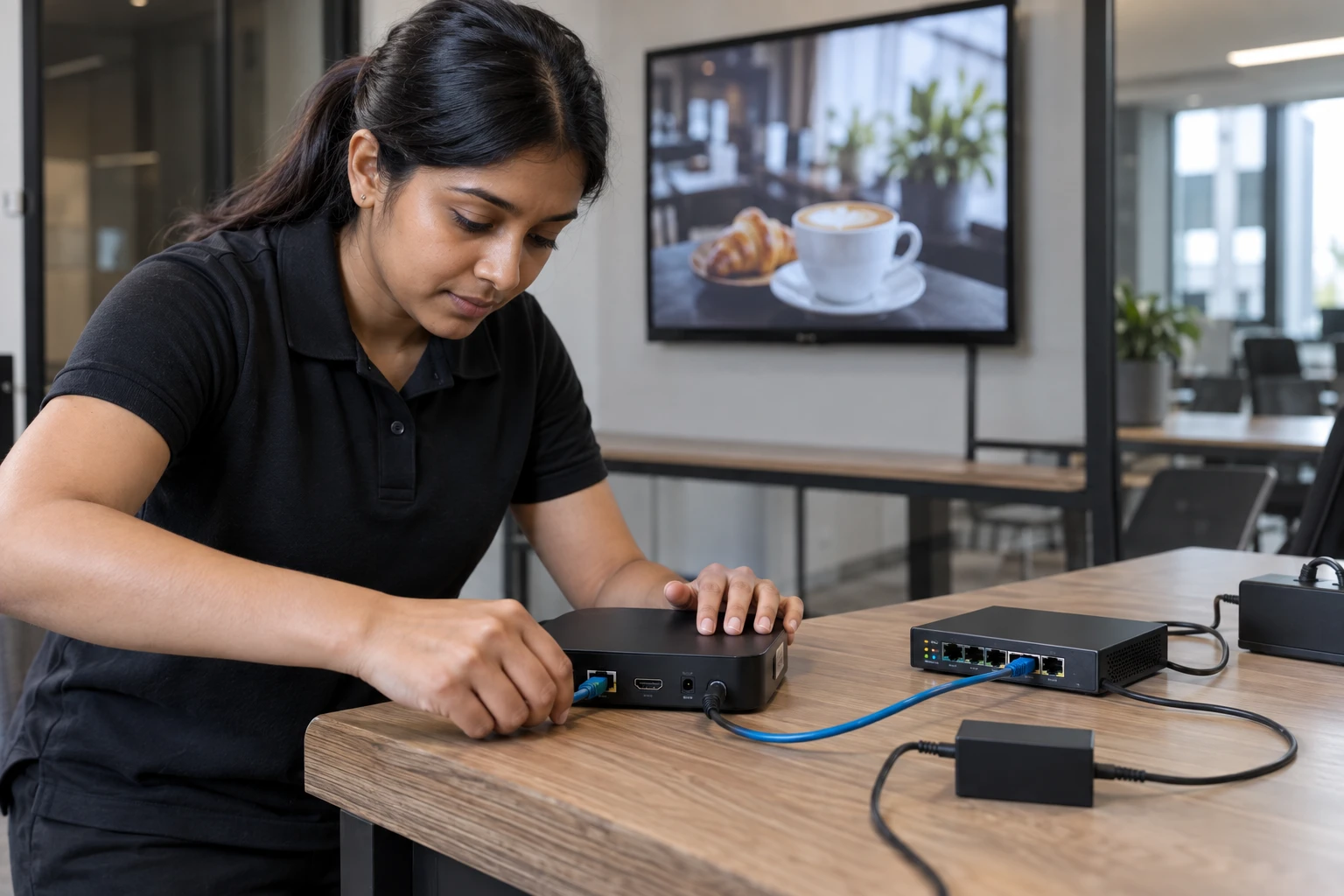
Each screen typically connects to a media player or embedded signage platform. That device connects to the internet and communicates with a cloud-based content management system. There are devices, users, permissions, software, connectivity, remote administration and support. The environment is familiar.
MSPs Already Have the Hardest Part: The Customer Relationship
An established MSP may already manage technology for dozens, hundreds or thousands of businesses. Those customers already trust the MSP with important parts of their technology environment.
A restaurant may need digital menu boards. A medical office may want waiting-room messaging. A manufacturer may need employee communications and safety screens. A corporate client may want lobby signage. A retailer may want promotional displays across several locations. The MSP needs to identify where signage can solve a problem for customers it already serves.
Digital Signage Can Become Monthly Recurring Revenue
Digital signage can be packaged around number of screens, locations, software licenses, support level, content-management services, device management and network administration.
Imagine an MSP supporting a regional company with 15 locations and two screens per location. That creates a 30-screen signage network. The MSP can provide media players, configure the network, deploy the software and administer the system remotely. The initial rollout generates setup revenue; the ongoing service creates recurring revenue.
What Can an MSP Include in a Managed Digital Signage Service?
A managed service can include digital signage software, media players, installation and configuration, remote administration, user management, content management and support.
Some customers will manage their own content while relying on the MSP for account administration and troubleshooting. Others may want the MSP to manage nearly everything.

Build Service Tiers Instead of Selling a License
A simple structure could include Signage Essentials for software and setup, Managed Signage for software plus device configuration, user administration and support, and Managed Signage Plus for hardware, administration and agreed content assistance.
The customer does not necessarily want a CMS. It wants its screens working and its content appearing where it should.
Digital Signage Can Increase Revenue Per Existing Customer
Adding signage increases the number of services attached to an existing account without requiring another customer acquisition. It can also create relationships with marketing, HR, operations and facilities teams inside the same organization.
Start by Looking for Screens
During normal customer interactions, look for TVs showing static logos, USB-driven content, printed signs that change frequently, menus that are repeatedly reprinted or bulletin boards carrying time-sensitive information. Ask: How are you managing the content on these screens today?
Multi-Location Customers Can Be Particularly Valuable
Centralized signage lets corporate teams publish network-wide content while allowing local or regional differences. For an MSP, multi-location customers create larger managed environments and natural expansion opportunities.
Remote Management Matters for MSPs
The economics of managed services depend on remote administration. A managed signage platform should allow screens, users, content and schedules to be administered centrally. Preferred hardware standards can simplify support while hardware flexibility helps with existing customer equipment.
Security and User Controls Matter
MSPs should treat signage access with the same discipline applied to other customer technology: administrative accounts, customer users, permissions, location access, feature access, passwords and device access.
Hardware Flexibility Helps MSPs Standardize Without Getting Trapped
Zoney supports Android, Windows, Linux, Raspberry Pi, WebOS, Tizen, Apple TV and Amazon Digital Signage Stick. Confirm the actual hardware models and versions with Zoney before deployment. MSPs can create preferred configurations while retaining options for different customer environments.
MSPs Do Not Need to Build Their Own Signage Software
MSPs already build services around third-party technology. The value is in selecting, deploying, configuring, supporting and managing the technology. Building a signage platform internally would add cloud infrastructure, content management, player applications, compatibility, security, updates and feature development.
What to Look for in a Digital Signage Platform for MSPs
Evaluate multi-customer management, customer separation, user permissions, remote administration, customer content access, supported hardware, reuse of compatible hardware, location growth, partner billing, service packaging and technical support.
Where Zoney Fits Into an MSP Service Stack
Zoney Enterprise Solutions can become the software layer behind a managed signage service. Granular user controls, security tokens, dynamic monthly billing and flexible hardware support are designed for partner-led deployments. Zoney runs on AWS-hosted cloud infrastructure.
For the platform-specific discussion, see Zoney for MSPs.
How to Launch a Managed Digital Signage Service
- Choose a signage platform.
- Create a standard deployment.
- Define service levels.
- Train the service team.
- Review existing accounts.
- Start with a controlled deployment.
- Add signage to account reviews.

Add Another Managed Endpoint to the Customer Relationship
A cloud-managed signage network gives businesses centralized control while giving the MSP another technology service it can deploy, administer and support.
Interested in adding managed digital signage to your MSP services?
Zoney works with technology providers that want to offer digital signage to existing and future customers without developing their own signage platform.