
Examples and figures in this article are illustrative. They are not Zoney prices, typical reseller results, margin promises or retention guarantees. Customer revenue, direct costs and payment timing depend on the actual agreement and service workload.
Winning digital signage customers is only one part of building a reseller business. The next challenge is managing them.
Ten customers may be easy to handle with spreadsheets, email and informal processes. At 50 customers, those methods start showing weaknesses. At 100 or 500 customers, poor organization can become a serious operating problem.
Which media player belongs to which customer? Who has access to each account? Which screens are offline? What service package did a customer purchase? Who requested the last content change? Which locations were added this month?
The goal is simple: customer count should be able to grow much faster than administrative workload.
Multi-Customer Management Is Different From Managing One Signage Network
A reseller may manage dozens or hundreds of organizations, each with separate locations, users, screens, players, content, permissions, service packages and billing arrangements. Those accounts need separation while remaining manageable by the reseller.
For the underlying account design, review the platform and location hierarchy.
Start With a Consistent Account Structure
Decide how accounts, locations, screens and devices will be named. Example: Customer ABC Fitness; Location ABC Fitness - Henderson; Screen Henderson - Front Desk - 01; Player ABC-HEN-FD-01.
Create Naming Standards Before You Need Them
Avoid names such as TV1, New Screen, Lobby or Player. A useful formula is customer + location + function + device number, such as SMITH-ATL-MENU-03.
Separate Customers Properly
Customer A should not see Customer B's screens. Location managers should not automatically access every location. Content users may need publishing rights without administrative control.
Use Role-Based Access
Possible roles include reseller administrator, customer administrator, location manager and content user. Give people the access required for their responsibilities without unnecessary privileges.
Create a Standard Customer Onboarding Process
Use a checklist: create customer account; create locations; configure users; assign permissions; register players; name screens/devices; upload initial content; configure playlists; establish schedules; test playback; train customer; confirm support contacts; record service package; confirm billing; complete internal handoff.
Standardize Hardware Where Practical
Hardware flexibility is useful, but unlimited variation creates support complexity. Maintain preferred standard players, higher-performance players, display ranges, mounts and approved alternatives.
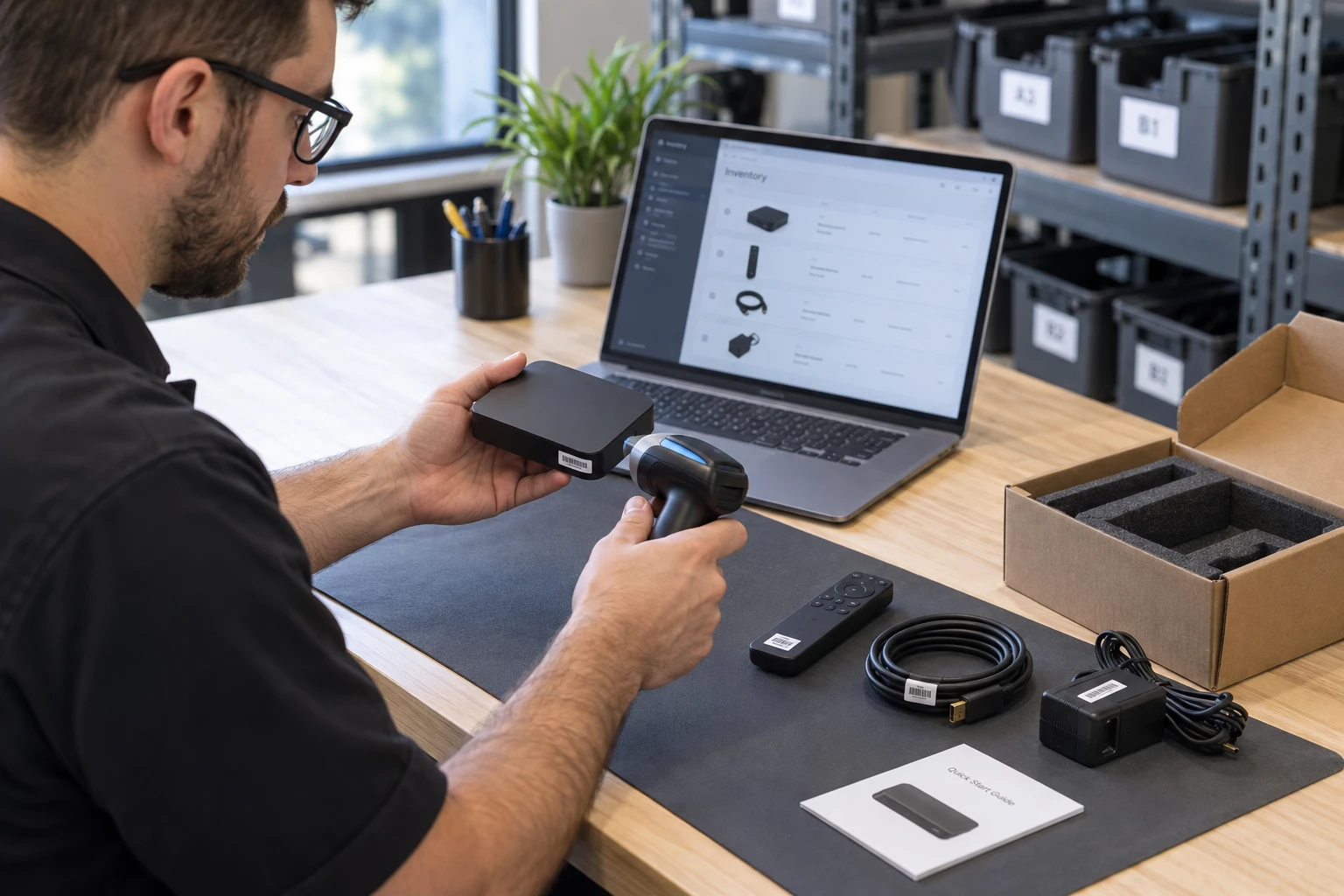
Maintain a Device Inventory
Track customer, location, screen, player, device model, serial number, installation date, warranty, network method, software version and replacement history.
Use Centralized Management
A reseller should be able to access customer accounts, review screen status, manage players, assist users, deploy content and troubleshoot without treating every customer as an isolated administrative environment.
Monitor Screen and Player Status
Where platform capabilities allow, monitor player status. A disconnected device could indicate power loss, internet outage, network changes, hardware failure, application problems, replacement or accidental disconnection.
Create an Offline-Device Process
Confirm whether the outage is expected, attempt remote diagnosis, contact the designated representative when necessary, determine whether the issue is power/network/player/display/software, escalate to onsite service if required and document the outcome.

Keep Customer Support Centralized
Avoid support requests scattered across texts, personal email and calls. Use a shared support email, ticketing system, customer portal or help desk so each issue has a record.
Categorize Support Requests
Categories can include software, content, player, display, network, user access, billing, training and installation. Patterns reveal weak hardware, training gaps or unprofitable service packages.
Build a Knowledge Base From Repeated Questions
Document common tasks such as uploading content, playlists, scheduling, adding users, restarting players, checking connectivity and reporting problems.
Separate Customer Training From Support
Poor training creates tickets. Self-managed customers need more operational training; fully managed customers need less. Match training to customer responsibility.
Standardize Content Workflows
Use one intake channel, log the request, review files, prepare content, obtain approval when required, schedule it and document completion.

Use Templates for Common Content
Vertical templates can reduce production time: restaurant menus and specials; fitness schedules and promotions; retail offers; hiring notices; events and operating hours.
Document Each Customer's Service Level
Support staff should immediately know whether the customer is Platform, Supported or Managed and which work is included or billable.
Track Work Outside the Package
Record onsite visits, extra content projects, additional training and other billable work. Small favors can become expected services when they are not tracked.
Automate Recurring Billing
Use a suitable billing or accounting system for monthly and annual charges, service tiers, screen additions and removals, upgrades, downgrades, failed payments and renewals. Document which system owns each record. These are business-process requirements, not a claim that all functions are native to Zoney.
Reconcile Billing With Active Services
Regularly compare active customers, locations, screens, service packages and billing records to catch underbilling and incorrect charges.

Assign Clear Customer Ownership
As customers interact with sales, installation, support, content and billing, someone should still own the overall relationship and track satisfaction, issues, expansion, locations, contract changes and service upgrades.
Schedule Account Reviews
Review screen use, repeated device issues, new locations, additional screens, content workflows, users and service-package fit. Reviews support retention and expansion.
Measure Operational Efficiency
Track customers per support employee, screens per support employee, tickets per customer/screen, resolution time, content requests per managed customer, onboarding time, deployment time and support cost per account.
Watch for Customers That Consume Excessive Resources
If a customer consistently exceeds expected workload, respond with training, process changes, a higher service tier, out-of-scope charges or a revised agreement.
Don't Add Employees Before Fixing Broken Processes
If staff spend hours searching for device information, fix inventory. If the same questions recur, improve training. If billing takes days, automate it. If content requests arrive through five channels, standardize intake.
Build Processes That New Employees Can Learn
Document onboarding, player configuration, installation standards, account setup, support escalation, content workflow, billing, hardware replacement and offboarding.
Prepare for Customer Offboarding Too
Confirm cancellation terms, stop future billing, remove appropriate access, document hardware ownership, export materials when applicable, close support items, update inventory and record the cancellation reason.
Security Becomes More Important as You Grow
Use unique user accounts, appropriate permissions, removal of former users, secure credentials, controlled administrative access and regular access reviews. Avoid shared master passwords.
Alongside these operating controls, review signage security requirements.
Your Software Platform Should Reduce Administrative Work
For a growing reseller, the platform should help manage customers, users, players and deployments efficiently. Multi-customer administration, user controls, centralized management, hardware flexibility and scalable cloud infrastructure become more relevant as the account base expands.
Zoney provides a software layer that partners can combine with their own customer services. Evaluate the account structure, user access and device workflows against your operating procedures; use separate support or accounting tools where needed. The platform does not replace clear responsibilities within your business.
During partner selection, evaluate Zoney against your customer workflows.
Build the Operation Before Growth Forces You To
The best time to establish naming conventions, onboarding checklists, support procedures and billing rules is while the company is still small enough to change them easily.
Standardize what can be standardized. Automate what doesn't require human judgment. Document repeated work. Track the services customers actually use. Use software that supports multi-customer operations.
Selling more digital signage is good. Being able to manage what you've sold is what turns those sales into a scalable business.
Use these procedures to connect operations to the reseller growth plan.
For the practical process, coordinate content ownership across locations.
Discuss Your Service Model
Start a free trial to review the platform, or talk with Zoney about your customer requirements.